
eBoox: ePub PDF e-book Reader
ReadingAppBooks & Reference
4.71.71K Reviews
- Version
- 2.63
- Installs
- 10.00M
- Age Rating
- Everyone
Screenshots
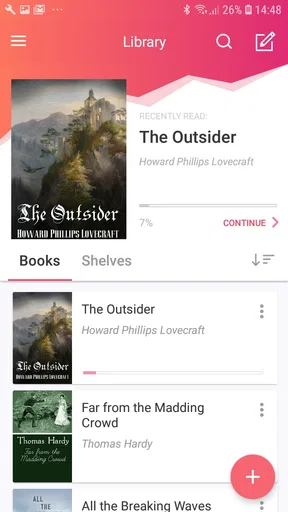
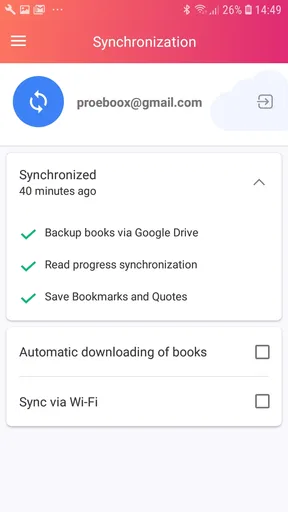
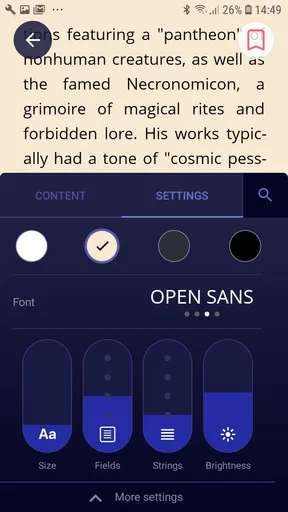
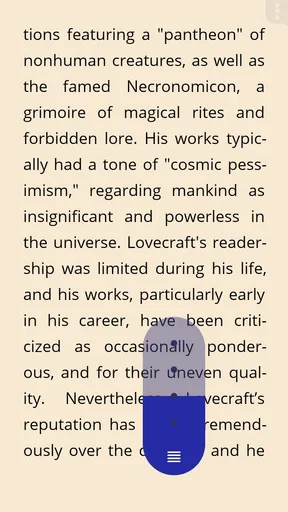
Our Review of eBoox: ePub PDF e-book Reader
 Analysis by Appyee
I tend to judge an ebook reader by what happens after the first few minutes: can I open the files I already own, find my place again, and hand the device to someone else without turning reading into a technical support session? eBoox: ePub PDF e-book Reader is built around that practical question. It is a free Books & Reference app from ReadingApp, and its broad file support makes it especially interesting for a household where one phone or tablet may be used for several kinds of reading.
In my experience, eBoox feels less like a bookstore and more like a reading desk for personal files. Its role is to display books rather than sell a catalog, which changes what I expect from it. If you already have EPUB, PDF, DOC, MOBI, FB2, TXT, or ZIP files, the app is designed to bring those formats into one reading space. That flexibility is the main reason I would recommend trying it, although it also means the quality of your reading experience depends partly on how well each original file was prepared.
How eBoox works in a shared household
A realistic example is a family tablet kept in the living room. One person has a novel in EPUB, another has a school document in PDF, and someone else wants to open a plain-text manuscript. Installing separate readers for every format would be irritating. eBoox gives that device one familiar reading app, so the household can at least start from the same place instead of passing around a collection of specialist tools.
That convenience does not mean the app magically separates everyone’s reading life. A shared device still needs simple household rules. I would create a clear folder structure before importing a large collection, such as one folder for novels, one for study material, and one for documents that are only being reviewed temporarily. This is not a glamorous feature, but it prevents the library from becoming a confusing pile of files after several people use it.
The app’s support for ZIP files is useful in this situation because books sometimes arrive packaged rather than as a single loose file. It can reduce the need to unpack everything manually before reading. I still prefer to keep original files backed up elsewhere, especially when the device is shared. A reader should be the place where I consume a book, not the only place where an important document exists.
For a child using the same tablet as an adult, I would also keep reading material in visibly separate folders. eBoox is rated for Everyone, which makes its general audience broad, but an age label is not a substitute for a parent checking the files placed on a shared device. The app opens the material you provide; the responsibility for choosing that material remains with the household.
One app for mixed file collections
The strongest everyday advantage is format coverage. EPUB is usually the comfortable choice for novels because text can adapt more naturally to the screen. PDF is often better for fixed layouts, worksheets, scanned pages, and books where the position of images matters. DOC and TXT files are handy when reading drafts, notes, or material that was never converted into a traditional ebook. MOBI and FB2 support can also save time if your existing collection was created for a different reading ecosystem.
I would not treat all of those formats as equally pleasant. A well-made EPUB can be easy to read on a phone, while a PDF designed for large paper may require zooming and horizontal movement on a small screen. That is a limitation of the document as much as the reader. eBoox is valuable because it lets me test the file immediately instead of converting it before I know whether I actually need to.
There is a useful workflow here for students and people who read work documents. I can keep a polished EPUB for relaxed reading, then open a PDF for reference without switching applications. When I finish, I can return to the novel rather than searching through a downloads folder for a different program. The trade-off is that eBoox is not a complete research system: I would not choose it alone for heavy citation management, collaborative editing, or organizing a large academic archive.
Another practical tip is to check the file itself when a page looks wrong. If a document has missing images, odd spacing, or text that runs beyond the screen, changing readers may not fix it. The source layout may be the problem. In that case, finding a cleaner edition or converting a document into a more suitable format can be more effective than repeatedly adjusting the app.
Boundaries that matter on a shared device
Before several people use eBoox, I would decide whether the device is a personal reader or a communal one. On a personal phone, a single library is simple. On a family tablet, it can mix a parent’s novel, a teenager’s homework, and a child’s picture book. That mixture is manageable only when everyone agrees on naming and storage habits.
I would avoid importing private documents into a device that other household members can freely browse. The fact that a file opens in a reading app does not make it suitable for communal access. Bills, work drafts, personal journals, and sensitive PDFs should stay in a protected location or on a private device. eBoox can help read a document, but I would not use it as a replacement for a dedicated privacy boundary.
This is also where account expectations matter. For a shared setup, I would not assume that each person has an independent profile or a separate reading history. Instead, I would coordinate manually: use distinct folders, close a book when finished, and tell the next reader which file is theirs. If individual privacy, separate recommendations, or independent progress tracking is essential, a separate user profile on the operating system or a separate device may be the better solution.
That sounds basic, but it prevents a common household frustration: someone opens the app and sees another person’s recent book, then changes the reading position by mistake. A small amount of coordination is more realistic than expecting a general-purpose reader to behave like a multi-user library service.
Reading together without confusing ownership
eBoox can fit a useful handoff routine. For example, a parent might load a children’s story, a student might keep course PDFs in a named folder, and another adult might use EPUB files for evening reading. Each person can return to the same device without hunting through unrelated documents. I find this especially practical when the tablet stays at home and is used in short sessions rather than carried by one person all day.
For a school or work document, I would make a copy before experimenting with layout or conversion outside the app. That way, a failed adjustment does not destroy the original. I would also agree on a simple rule about who may remove files. A shared reading collection becomes unreliable very quickly if one person cleans up downloads that another person still needs.
The app’s broad compatibility is helpful for coordination because people do not have to agree on one file format before reading. One person can send an EPUB and another can provide a PDF. Still, compatibility is not the same as perfect presentation. If the group is discussing a page layout, a PDF may preserve the intended appearance better; if everyone is simply reading flowing text, EPUB will often be easier on a small display.
For travel, I like the idea of preparing the device in advance with a few books and documents in clearly named folders. A shared tablet can then serve as a quiet reading station without requiring an internet search every time someone wants another file. I would test each important book before leaving, because opening a file successfully is not the same as confirming that its images, fonts, and page breaks look right.
Age, trust, and sensible expectations
The Everyone content rating is reassuring for the app’s intended general audience, but it should not be confused with a guarantee about every book opened inside it. A reader can display adult novels, school material, technical manuals, or personal documents depending on what the user imports. In a family setting, I would review the shared library and explain which folders belong to which age group.
This is also a good reason to teach children basic file awareness. They should know which folder contains their books, how to return to the library, and when to ask before opening an unfamiliar document. Those habits are more dependable than assuming the reader itself will understand family relationships or decide which material is appropriate.
Trust works both ways. Older children and adults may value the convenience of using one device, but they may not want every document visible to everyone else. If the household cannot agree on that boundary, I would use separate devices or the operating system’s own user and privacy tools. eBoox is a reading utility, not something I would select specifically for family-account management.
For younger readers, screen size and document design matter more than the app’s general rating. A small phone can make a fixed-layout PDF tiring, while a properly formatted EPUB may be much easier to follow. I would choose the file format based on the reader’s age and the device, not simply because both files open in the same application.
What the app feels like in regular use
After using a reader like this, I appreciate not having to ask where a book was purchased before opening it. eBoox makes sense for people with files collected from different places, including documents received from friends, exported notes, and older ebook formats. Its free price removes the need to make a financial commitment just to see whether it handles your library comfortably.
At the same time, people who want a polished subscription catalog may find the experience incomplete. A bookstore app is better when the main task is discovering, buying, syncing, and managing books inside one commercial ecosystem. A dedicated PDF tool may be better for professional markup. A note-taking app may be better for writing alongside a text. I see eBoox as the adaptable middle ground: broader than a single-format viewer, but not a full replacement for every specialized reading workflow.
The app has been available since July 17, 2018, and its current version is 2.63. It supports devices running Android 5.0 or later. That makes it relevant for people keeping an older Android tablet in service, although I would still judge the experience by the device’s screen, storage, and general responsiveness. A capable reader cannot make a small, slow tablet feel like a modern ebook device.
Its popularity also gives me some confidence that the basic idea has reached a substantial audience: eBoox has over ten million installs and a 4.7 average from around two hundred seventy thousand ratings. I treat those figures as a sign of broad appeal rather than a promise that every file will render perfectly. The important test is still personal: open the formats you actually use and see whether the controls and layout suit your eyes.
Where I would recommend it, and where I would not
I would recommend eBoox to someone who wants one free reader for a mixed personal collection, especially when EPUB, PDF, DOC, MOBI, FB2, TXT, and ZIP files appear in the same workflow. It is also a sensible choice for a household tablet when people can agree on folders and understand that the library is shared rather than privately separated.
I would be more cautious if your main goal is buying books from a built-in store, synchronizing a commercial collection across many devices, or maintaining strict personal profiles for several readers. In those cases, the platform’s own bookstore or a service designed around accounts may feel more natural. I would also choose a specialist PDF application when annotation, form filling, or professional document review is central to the job.
Readers with very large collections should think about organization before importing everything. A universal shelf is convenient at first, but it can become harder to navigate than several smaller, clearly labeled collections. My preferred approach is to add a manageable group, test the search and browsing habits that develop, and then expand only if the library remains easy to use.
My household verdict
For me, eBoox succeeds because it solves an ordinary problem without forcing my files into one ecosystem. It is free, supports a useful range of formats, and works well as a common reading point for novels, study material, drafts, and reference documents. The best results come when I treat it as a flexible file reader rather than a private family-account platform.
The household lesson is simple: coordinate the folders, keep sensitive documents away from shared storage, and choose EPUB or PDF according to the material rather than habit. With those boundaries in place, a single tablet can serve several readers without too much friction. Without them, the app may still open the books, but the library can quickly become confusing.
My final recommendation is straightforward: choose eBoox if your priority is opening a varied collection in one place and you are comfortable managing your own files. Skip it in favor of a bookstore-centered or specialist document app if purchasing, private profiles, or advanced annotation matters more than format flexibility. For a free, general-purpose reader from ReadingApp, it offers a practical balance, and that is why I would keep it available on a shared household device.
Verdict
Strengths of eBoox: ePub PDF e-book Reader
- Supports EPUB, PDF, MOBI, and several other popular book formats.
- Clean, comfortable reading interface with customizable themes and fonts.
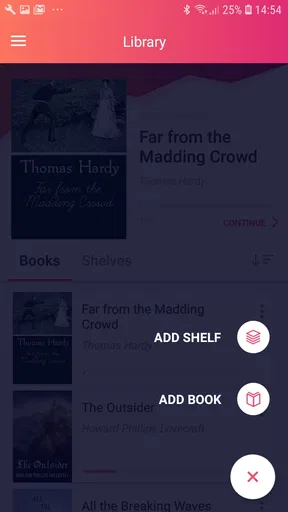
- Lets you organize books into shelves for easier library management.
- Can import books from device storage, cloud services, and messaging apps.
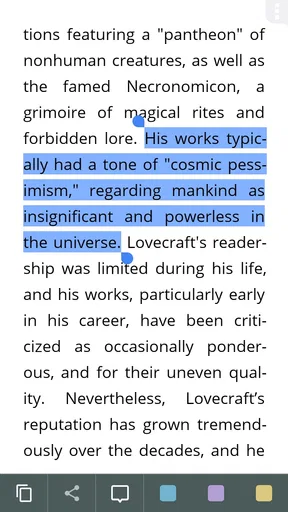
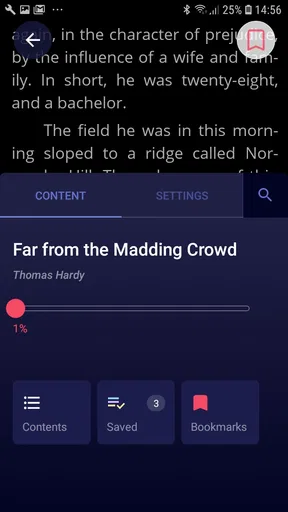
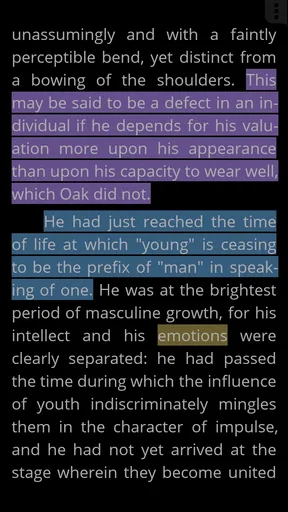
- Useful reading tools include bookmarks, notes, and text highlighting.
Limitations of eBoox: ePub PDF e-book Reader
- Some advanced features may require in-app purchases or premium access.
- PDF reading can feel less flexible than EPUB on smaller phone screens.
- The app may need storage permission to import books from your device.
- Large libraries can take time to scan and organize after importing.
- Cloud syncing may not be as seamless across every supported service.
Similar Picks in This Category
View All
Google Play Books & Audiobooks
Google LLC4.7

네이버 - NAVER
NAVER Corp.3.5

Wattpad - Read & Write Stories
Wattpad.com3.7

King James Bible - Verse+Audio
Ozion4.8

Bible Offline-KJV Holy Bible
Bíblia Offline4.9

Amazon Kindle: Reading App
Amazon Mobile LLC4.8
Frequently Asked Questions
What is eBoox: ePub PDF e-book Reader, and which formats does it support?
eBoox is an ebook reading app designed for Android devices, with support for popular formats such as EPUB, PDF, MOBI, and FB2, depending on the file and app version. It is useful for keeping novels, manuals, comics, and other digital books in one library. The app focuses on comfortable reading, local file access, and straightforward organization rather than functioning as a full ebook marketplace.
Can I read books offline with eBoox?
Yes. After you import or download an ebook onto your device, eBoox generally allows you to read it without an internet connection. This makes it practical for travel, commuting, or places with limited connectivity. Internet access may still be required when obtaining books from cloud storage, transferring files through certain services, or downloading content from an external source, but ordinary reading of saved files works offline.
How do I add EPUB or PDF books to eBoox?
Books can usually be added by opening a compatible file from your phone’s file manager, downloads folder, email attachment, or another application and selecting eBoox as the reader. You may also transfer files from a computer or use supported cloud-storage options. Once imported, the book should appear in the app’s library, where you can open it and continue reading from your saved position.
Does eBoox offer useful reading customization features?
The app provides practical tools intended to make reading more comfortable, although the available options can vary by format. Depending on the book, you may be able to adjust font size, margins, brightness, background color, and page layout. It also supports features such as bookmarks, reading progress, and navigation through chapters or pages. PDF customization is usually more limited than EPUB customization because PDFs preserve their original layout.
Is eBoox free, and are there any limitations or privacy concerns?
eBoox is generally available as a free ebook reader, allowing users to open and manage their own files without purchasing books inside the app. Some versions or features may include advertising or optional paid elements, so it is worth checking the current store listing before installing. Because the app handles personal documents, review its requested permissions and privacy policy, especially if you plan to use cloud-import or synchronization features.
